Groups
Groups are a special type of node that can contain entire graphs. The groups can then be used in multiple locations. Groups are an advanced feature in Noise Pilot, and you don’t need to use them to use the program. But if you can learn to fully utilize groups, they are a very powerful tool.
To view the graph inside of a group, double click it. Any pink node in the interface is a group node!
Creating Groups
There are two ways to create groups. You can either create new empty groups, or turn existing nodes into a group.
To create a new empty group, go to the groups category of the sidebar and click the + button.
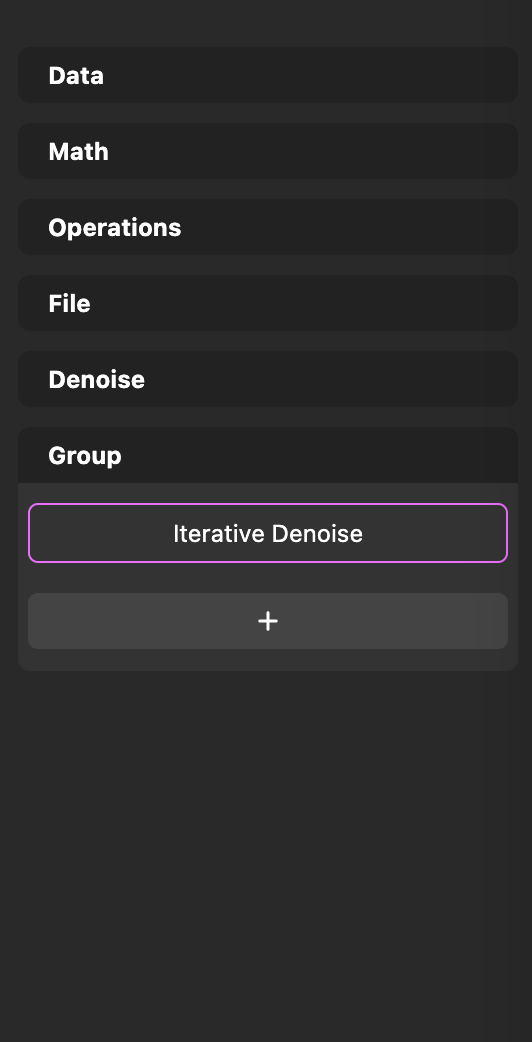
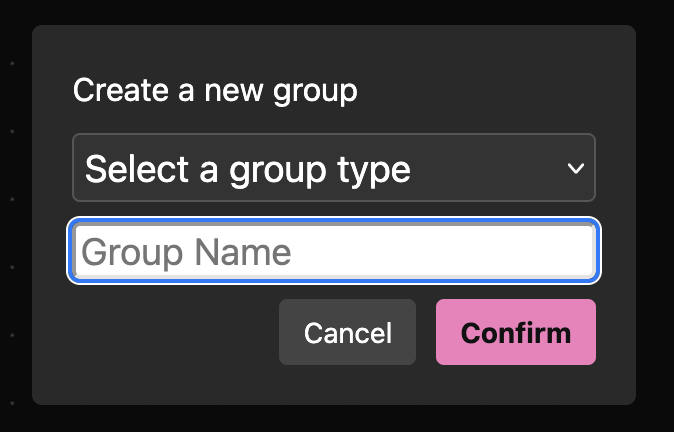
This will pop up the Create New Group UI. All fields of this pop up are required.
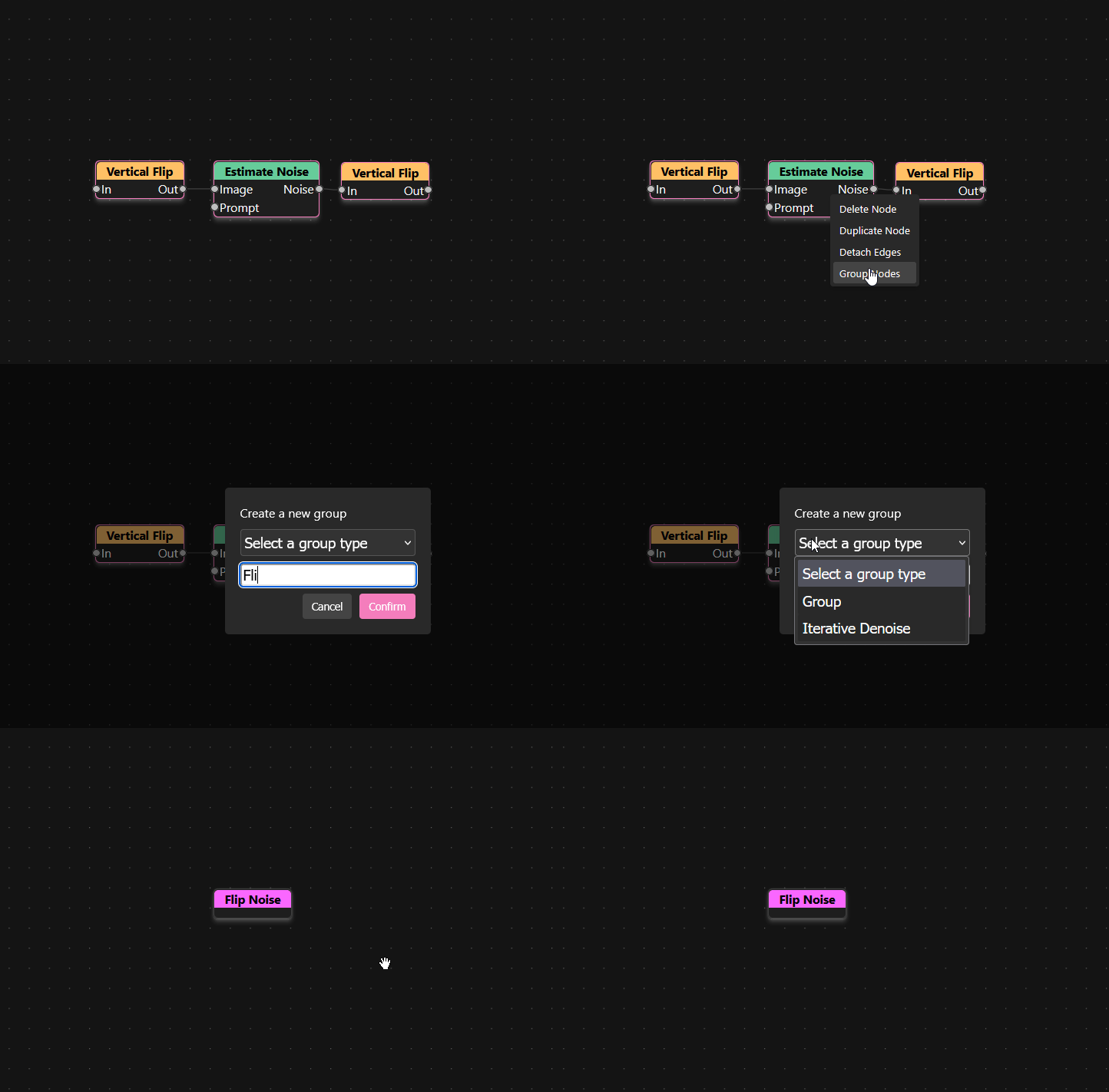
To create a group from existing nodes, select all of the nodes you want to add to the group and right click one of them, then select Create Group.
Group Parameters
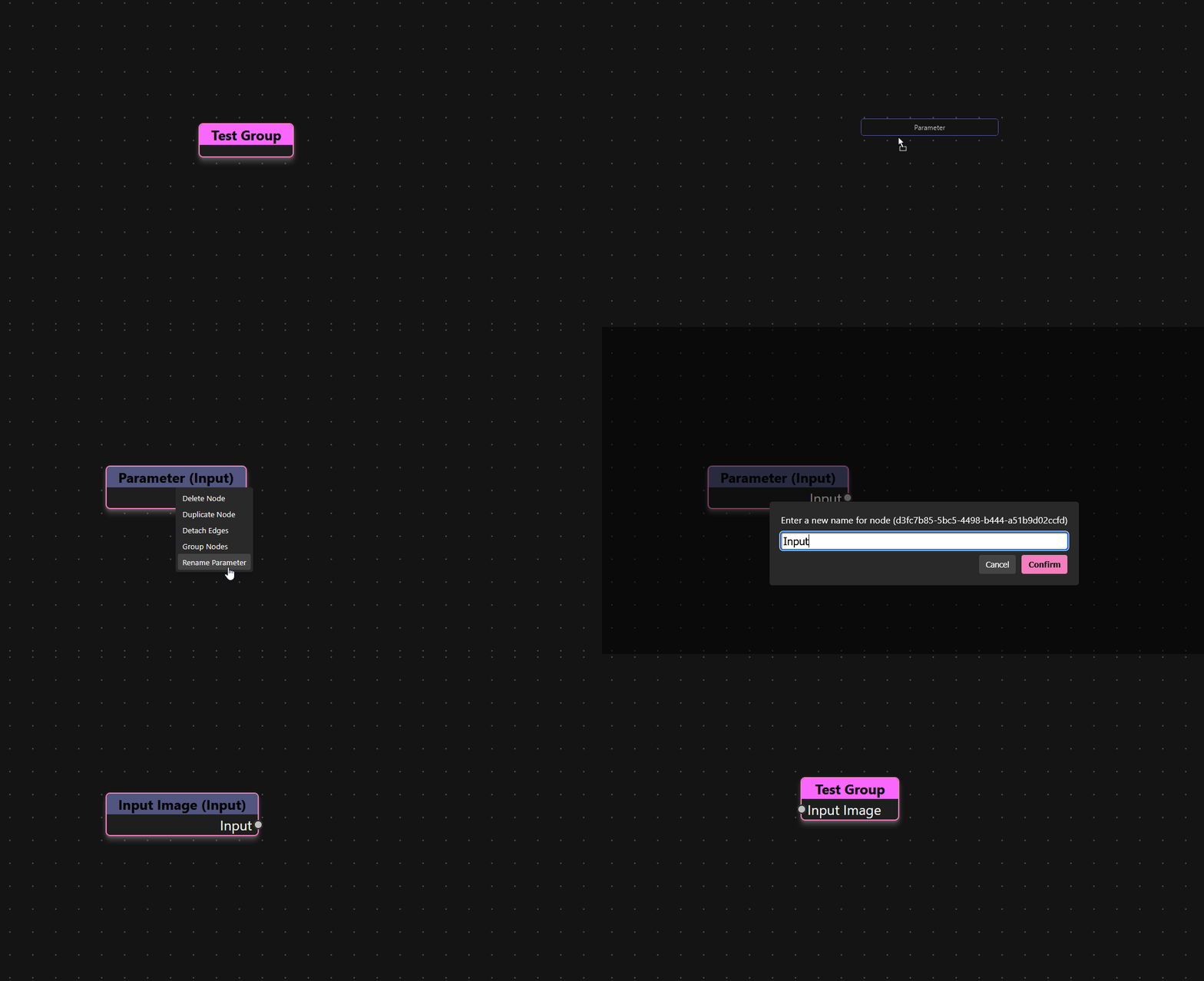
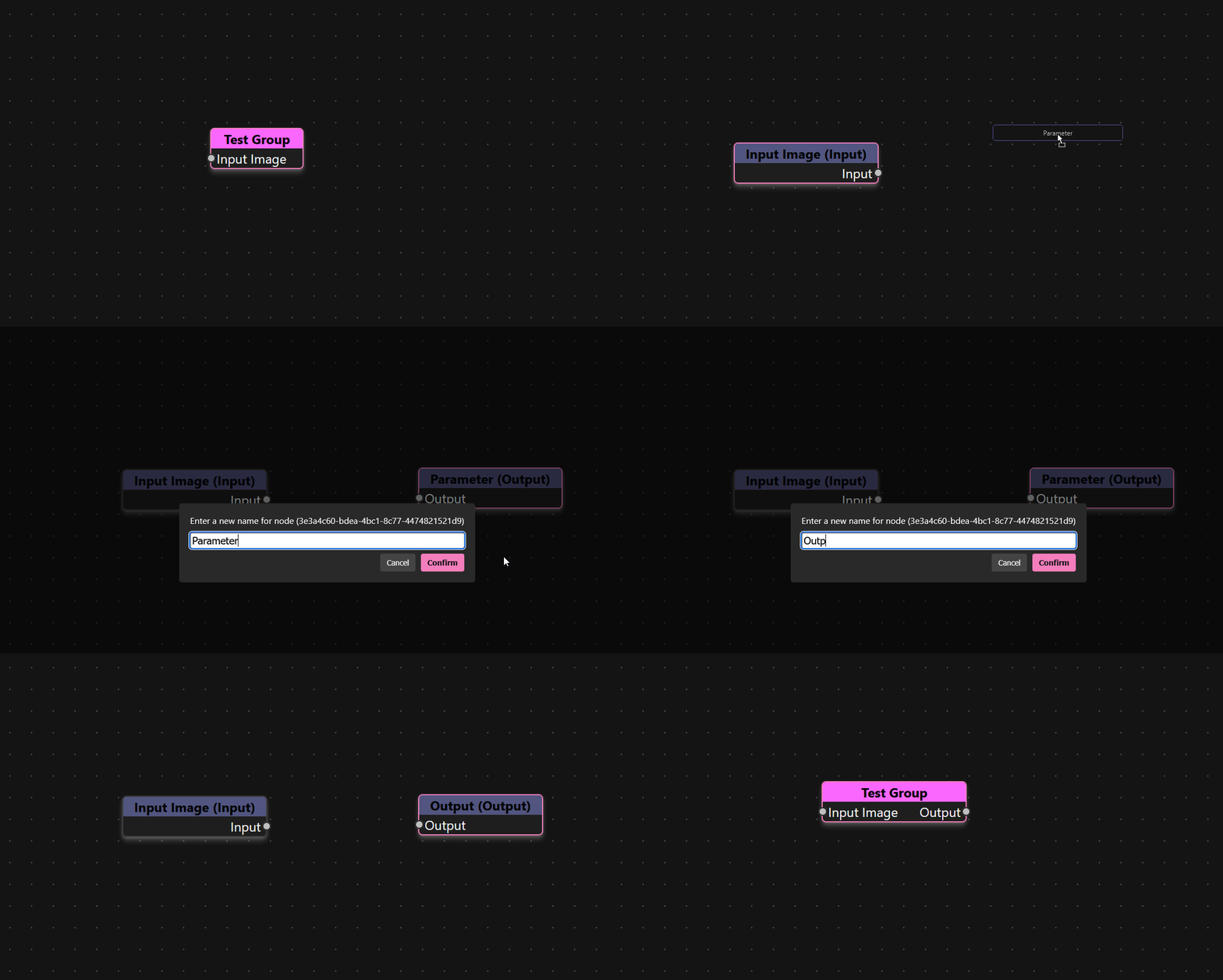
You can create your own handles on groups with Parameter nodes. There is a node for input and a node for output.
Parameter (Input)
| Inputs | Outputs |
|---|---|
Input: Any |
Parameters are only used along with group nodes. If you add a Parameter (Input) to a group, it will create a handle allowing you to pass data into the group node.
Parameter (Output)
| Inputs | Outputs |
|---|---|
Output: Any |
Parameters are only used along with group nodes. If you add a Parameter (Output) to a group, it will create a handle allowing you to get data out of the group node.
Group Types
There are two types of groups. Regular groups are regular graphs with no additional features. Iterative Denoise groups are groups that represent one walk through the iterative denoise process. By default every workspace comes with one Iterative Denoise group already defined for you to change, but you have the option to create more.